Showing posts with label Mystic OS. Show all posts

[Mystic OS V7] Mystic OS 7 for MT6582

Mystic OS New Version 7 for MTK6582 Devices


Rom Info:

Rom Name: Mystic OS

Version: 7
Chipset: MTK6582
Android: 4.4.2 Kitkat

Features:


CyanogenMod CM12.1 Themed
Full Lollipop Framework
Lollipop Material Design
CyanogenMod 12.1 Application Icons
Nova Prime as Default Launcher
Android M Sounds
Marshmallow Boot Animation
Mystic OS Bootlogo
Platlogo Marshmallow
CM12.1 Music Player
Lollipop Inspired Volume Panel
Stock Gallery
Stock Camera
Lollipop Lockscreen
Pre Rooted with Super User
Busybox Installed
Added ABS Tweak
Smart Gestures
Gesture Anywhere
Font chooser
Lcd density change option
Multi User options
Build prop editor
Ad Blocker
Listview and Toast animations
Custom progress bar
And Many More....


Screenshot:


Download Mystic OS v7


Credit and Thanks:
Raj Shekhar and View More


Always take backup your current rom before flash

Need to port for your device before flash


Flash process:
Reboot to Recovery Mode >

A.Wipe data/factory reset
B.Wipe cache partition
C. Mount and storage >
               1. Format data
               2. Format system
               3. Format cache
D. Advanced >
               1. Wipe dalvik cache

Back to the Main Menu.

Select
Install zip from sdcard > Choose zip from sdcard
Select Rom zip file.


N.B. : All the Things do at your won Risk. I will not be responsible for any kind of Brick/Damage of your phone.

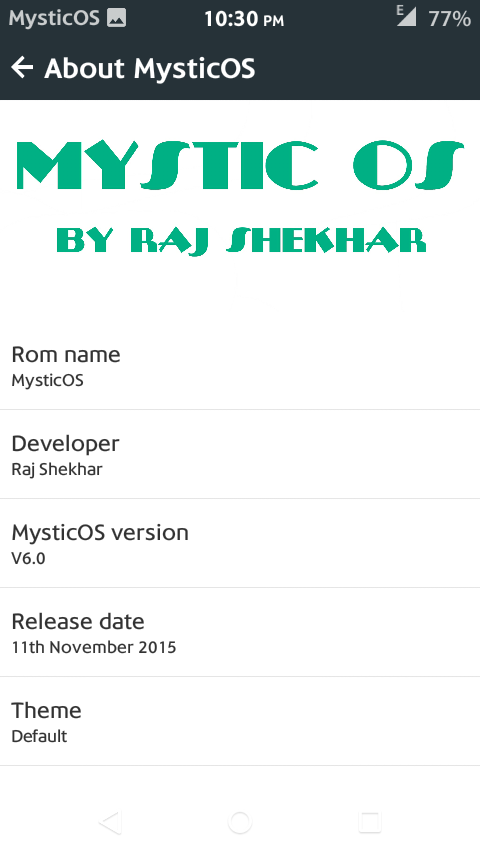
Mystic OS v6 for MTK6589

Custom Rom for MT6589


Features:

All Features of Mystic V6


Screenshot


Download


Credit
Raj Shekhar


N.B. : Do all things at your won Risk. I will not be responsible for any kind of Brick/Damage of your Device/Phone.

[Mystic OS v6] Custom Rom for MT6582

Mystic OS 6 for MTK6582

Features:

Lollipop Lock Screen
Lollipop Recent Panel
Lollipop Status Bar
Lollipop Notification Bar


Screenshot:


Download


Credit
Raj Shekhar


N.B. : Do all things at your won Risk. I will not be responsible for any kind of Brick/Damage of your Device/Phone.

Mystic OS v5 for MT6592

MTK6592 Custom Rom
Mystic OS for MT6592


Rom Info:
Rom Name: Mystic OS
Rom Version: v5
Chipset: MT6592


Features:

Mystic Interface:
Gesture Anywhere
Notification Panel
Recent Panel
Status Bar
Lollipop

Screenshot:


Download


Credit:
Raj Shekhar


Always take backup your current rom before flash

Need to port for your device before flash


Flash process:

Reboot to Recovery Mode >

A.Wipe data/factory reset

B.Wipe cache partition
C. Mount and storage >
               1. Format data
               2. Format system
               3. Format cache
D. Advanced >
               1. Wipe dalvik cache

Back to the Main Menu.


Select

Install zip from sdcard > Choose zip from sdcard
Select Rom zip file.


N.B. : Do all things at your won Risk. I will not be responsible for any kind of Brick/Damage of your Device/Phone.

[Custom Rom] Mystic OS V4 for MTK6582

Mystic OS 4.0 for MT6582
Mystic OS v4.0


Rom Info:
Rom Name: Mystic OS
Rom Version: v4.0
Rom Developer: Raj Shekhar
Chipset: MT6582
Android Version 4.4.x Kitkat


New version of Mystic OS 4 has many changes. Super smooth notification panel also reduced rom size. Cyanogenmod 12.1 Music, app icons, signal icons and battery icon. Settings like android Lollipop. for more see the changelog.


Screenshot:


Download MysticOS
Changelog V4


Credit:
Raj Shekhar


Porting Guide for MTK6582


1. Files Copy from Stock to Port

Copy all the following files from stock rom and paste and replace to the port rom
system/bin/pq
system/bin/vold
system/lib/libaudio.primary.default.so
system/lib/libaudiocompensationfilter.so
system/lib/libaudiocomponentengine.so
system/lib/libaudiocustparam.so
system/lib/libaudiodcrflt.so
system/lib/libaudioeffect_jni.so
system/lib/libaudioflinger.so
system/lib/libaudio-resampler.so
system/lib/libaudiosetting.so
system/lib/libaudioutils.so
system/lib/libcamalgo.so
system/lib/libcamdrv.so
system/lib/libcameracustom.so
system/lib/libdpframework.so
system/lib/libsensorservice.so
system/lib/libsync.so
system/lib/libvcodecdrv.so
system/usr/keylayout/Generic.kl

2. Delete Folders from Port rom and Copy and paste from Stock to Port rom
system/etc/bluetooth
system/etc/firmware
system/etc/wifi
system/lib/egl
system/lib/hw 

Copy system/vendor folder from Stock and Paste to the Port rom folder


3. Edit Mount Point:

Change mount point in updater script from META-INF Folder 

For Example:     
  format("ext4", "EMMC", "/dev/block/mmcblk0p4", "0");
  mount("ext4", "EMMC", "/dev/block/mmcblk0p4", "/system");
Change as yours

4. Copy  boot.img from Stock to Port rom folder

Now Zip META-INF, system folder and boot.img and ready for Flash.


N.B. : Do all things at your won Risk. I will not be responsible for any kind of Brick/Damage of your Device/Phone.


Top