Showing posts with label MediaMod. Show all posts

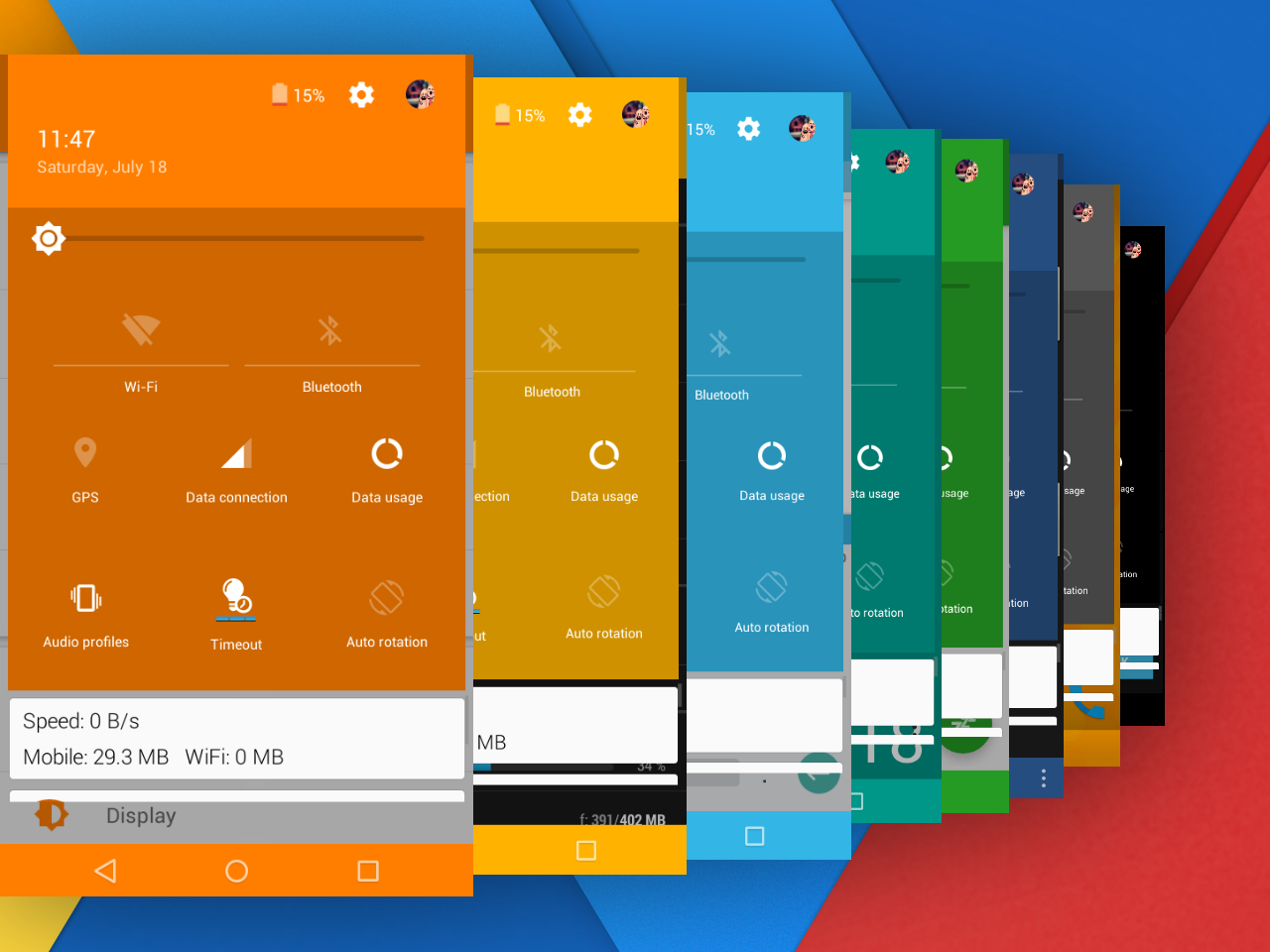
[MediaMod v5] Android M Rom for MTK6572

MediaMod Android M Rom Version 5
Custom Rom for MT6572


Rom Info :
Rom name : MediaMod
Rom version : 5.0 
Rom OS version : 6.0 (Marshmallow)
Rom Develover : Wahyu hidayat

Base rom : Amzen 5.0
Android Chipset : Mt6572
Android portable = True

Changelog: Click Here

Screenshot: Click Here

Credit : Go to settings > about rom > credit

Rom Download


Fix UI ( Expanded & Recents ): Download


N.B. : Do all things at your won Risk. I will not be responsible for any kind of Brick/Damage of your Device/Phone.

[MediaMod v4] Android M Rom for MT6572

Android 6 Rom for MT6572


Rom Info:

Rom Name: Mediamod
Version: 4.0
Chipset: MTK6572
Android Version: 4.2.2


Changelogs: 

Major change in this version are below
Fixed Some Issues:
 MMS
 Settings Style
 Swap
 Tweak
 Dialpad
 Real ram view
 Streaming youtube
 Contacts
 Gallery

Tinted Status bar
New File manager added


Screenshot:


Download MediaMod v4


Credit:

Wahyu Hidayat


N.B. : Do all things at your won Risk. I will not be responsible for any kind of Brick/Damage of your Device/Phone.


MediaMod v3 Rom for MT6572

Custom Rom Mediamod v3 for MTK6572


Do not copy/publish content from here


Mediamod Rom Info:
Rom Name: MediaMod 
Rom Version: 3.0
Rom OS: Android 6.0 [Marshmallow] 
Rom Develover: Wahyu Hidayat 
Chipset: MediaTek MT6572 
Base Android OS: Jellybean [4.2.2] 


Mediamod v3 Changelogs:
Base system apps changed
Changed orange theme
Swap added
Tweaks added
Battery icon Cyanogenmod 12
Listview removed
Navbar removed permanently
L Toggle
L Recent
L Signal icon
Free More Ram
And Many more....


Screenshot:


Download MediaMod v3


Credit:
Wahyu Hidayat 
Maaadr
all mastah


Flash Guide:
Reboot to Recovery Mode >

A.Wipe data/factory reset
B.Wipe cache partition
C. Mount and storage >

               1. Format data
               2. Format system
               3. Format cache

D. Advanced >

               1. Wipe dalvik cache

Back to the Main Menu.
Select
Install zip from sdcard > Choose zip from sdcard
Select Rom zip file.

Installation will start. Wait until finish.
Reboot and Enjoy the Rom


MTK6572 Devices such as 
Lenovo A369i
Xolo A500s 
Huawei Y511
ZTE V818
Symphony W82
Symphony W72
Symphony W68
Walton Primo E2
Walton Primo F4
Karbonn Mobile
Doogee &
Micromax Mobile -Need to port this rom.


Porting Guide:


N.B. : Do all things at your won Risk. I will not be responsible for any kind of Brick/Damage of your Device/Phone.


[Android M Rom] MediaMod V2 for MT6572

MediaMod V2 Rom for MTK6572
Android M [Marshmallow] Custom Rom for MTK6572

Android M Rom for MTK6572

Rom Description:
Rom Name: MediaMod [V2 Updated]
Rom Version: 2.0 (Stable Final Version)
Rom OS: Android 6.0 [Marshmallow]
Rom Develover: Wahyu Hidayat 
Chipset: MediaTek MT6572
Base Android OS: 4.2.2 [Jellybean] 


MediaMod V2 Rom Features:

Nice and Updated UI
Updated Launcher
Updated Soft Key Enabled
Partition Info
Listview Animation
Fonts Chooser
Swipe Statusbar
Torch
Super Smooth
ChangeLogs:
Changed the Based System Roms
Swap Removed [Can add custom Swap]
No fake RAM
Changed To Gammer ROM 
Games Tested:
[GTA VC High  Graphics No Lag, Naruto Ninja Impact, Subway Surfers, CoC, Angry Birds Go No Lag]
Removed Terminal Emulator from Settings

Added on Settings:
SuperSU
Partition Info
Swipe Statusbar
Multitasking [No Swap]


Fixed Issues:
Icon Statusbar & Layout Expanded
Color used
Camera
Gallery
Dial pad & Contacts Settings
Youtube Video Streaming
Minor Bugs
Fixed Boot logo
Youtube video streaming error fixed
And Many More...

Screenshot:


Credits:
Full Credit list in Settings/Credit.ini
Install Process:
Reboot in to Recovery Mode >

A.Wipe data/factory reset

B.Wipe cache partition
C. Mount and storage >

               1. Format data

               2. Format system
               3. Format cache

D. Advanced >


               1. Wipe dalvik cache


Back to the Main Menu.

Select
Install zip from sdcard > Choose zip from sdcard
Select Rom zip file.

Installation will start. Wait until finish.

Reboot and Enjoy the Rom


MediaMod V2 Custom Rom for Symphony W85
Others MTK6572 Devices such as 
Lenovo A369i
Xolo A500s 
Huawei Y511
ZTE V818
Symphony W82
Symphony W72
Symphony W68
Walton Primo E2
Walton Primo F4
Karbonn Mobile
Doogee &
Micromax Mobile -Need to port this rom.


Porting Guide:

Port Rom for MT6572


N.B. : Do all things at your won Risk. I will not be responsible for any kind of Brick/Damage of your Device/Phone.


[MediaMod] Android M Rom for MTK6572

MediaMod Android M (Marshmallow) Rom for MTK6572


Rom Description:

Rom Name: MediaMod
Based on Amzen Rom
Version: 1.0
Chipset: MT6572
Android Version: 4.2.2
Rom Developer: Wahyu hidayat (Orange Team)
Official Orange Team

MediaMod MT6572 Features:

Lollipop UI with Android M (Marshmallow)
Orange color UI
Resent Lollipop
Lollipop Phone Dialer
Smooth Performance
Included Swap cache
Lollipop Notification
Google Lollipop Keyboard
Xperia Modded Launcher
Modded Package Installer
Tinted Status Bar
Tinted Nav Bar
Android M Logo
Dolby Digital Plus

M features in Settings
List View Animation
Lock Screen
Fonts Chooser
Torch


Screenshot:


Download Media Mod Orange UI Rom


Credit
Full Credit list in Settings Credit.ini


Process:

Reboot to Recovery Mode >

A.Wipe data/factory reset
B.Wipe cache partition
C. Mount and storage >

               1. Format data
               2. Format system
               3. Format cache

D. Advanced >

               1. Wipe dalvik cache

Back to the Main Menu.
Select
Install zip from sdcard > Choose zip from sdcard
Select Rom zip file.

Installation will start. Wait until finish.
Reboot and Enjoy the Rom

Porting Guide:
How to Port Rom for MT6572


N.B. : Do all things at your won Risk. I will not be responsible for any kind of Brick/Damage of your Device/Phone.


Top